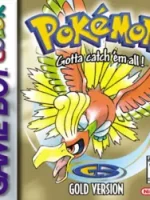
| Console | Game Boy Color |
| Author | Game Freak / Nintendo |
| Genre | Role-Playing (RPG) |
| Release | 1999 (Japan), 2000 (North America & Europe) |
| File Size | 731 KB |
| Emulator (PC) | mGBA, SameBoy |
| Emulator (Mobile) | My OldBoy! (Android), GBA4iOS (iOS) |
Pokémon Gold Version ROM – Game Boy Color (GBC) Download & Emulator Guide
Pokémon Gold Version is one of the most legendary Pokémon games ever released for the Game Boy Color (GBC). As part of Generation II, it introduced the Johto region, real-time gameplay mechanics, and a massive post-game that still makes it a favourite among emulator gamers today.
This page provides a complete overview of Pokémon Gold Version, emulator compatibility, gameplay features, and setup guidance.
About Pokémon Gold Version
Pokémon Gold Version expands on everything that made Pokémon Red, Blue, and Yellow successful. Set in the Johto region, the game introduces 100 new Pokémon, advanced mechanics, and a unique feature that allows players to explore two full regions—Johto and Kanto.
After defeating the Johto Pokémon League, players can revisit Kanto, battle familiar Gym Leaders, and face a powerful final challenge.
Key Features of Pokémon Gold Version
🌗 Real-Time Day & Night System
The in-game clock syncs with real-world time, affecting:
- Pokémon encounters
- Events
- Evolution mechanics
🗺️ Two Regions to Explore
- Johto Region – Main storyline
- Kanto Region – Full post-game adventure
🐣 New Gameplay Mechanics
- Pokémon breeding & eggs
- Pokémon genders
- Held items
- Improved AI and move sets
🆕 100 New Pokémon Added
Includes iconic Pokémon such as:
- Lugia
- Umbreon
- Espeon
- Tyranitar
- Ho-Oh
Best Emulators for Pokémon Gold Version
Pokémon Gold works perfectly on the following emulator platforms:
💻 PC (Windows / macOS / Linux)
- VisualBoyAdvance
- mGBA
- BGB
📱 Android
- My OldBoy!!
- John GBC
🍎 iOS
- Delta Emulator
- Provenance
How to Play Pokémon Gold on an Emulator
- Install a compatible Game Boy Color emulator
- Load your legally obtained Pokémon Gold ROM (.gbc)
- Configure controls and display settings
- Start the game and save using in-game save or save states
Step into the world where it all began — download Pokémon Blue ROM now.
Gameplay Tips for Beginners
- Choose Cyndaquil for an easier early game
- Train Dark and Psychic types for Johto gyms
- Use the Pokégear radio for events and bonuses
- Prepare for the challenging post-game Kanto content
Why Pokémon Gold Version Is Still Popular
Pokémon Gold remains one of the most replayed Pokémon games because of:
- Deep progression system
- Long gameplay duration
- Nostalgic soundtrack
- Balanced difficulty
- Massive post-game content
It’s an ideal choice for emulator users looking for a complete classic Pokémon experience.
Frequently Asked Questions (FAQ)
❓ Is Pokémon Gold playable on modern devices?
Yes, it runs smoothly on PC, Android, iOS, and browser-based emulators.
❓ What is the difference between Pokémon Gold and Silver?
Both games are similar, but Pokémon Gold features exclusive Pokémon like Lugia, while Silver has others like Ho-Oh.
❓ Can I trade Pokémon on emulators?
Yes, some emulators support link cable emulation or trading via emulator tools.