| Console | Game Boy Color |
| Author | Game Freak / Nintendo |
| Genre | Role-Playing (RPG) |
| Release | 2000 (Japan), 2001 (North America & Europe) |
| File Size | 1 MB |
| Emulator (PC) | mGBA, SameBoy |
| Emulator (Mobile) | My OldBoy! (Android), GBA4iOS (iOS) |
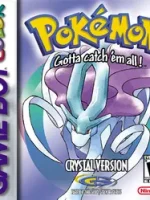
Pokémon Crystal Version is widely regarded as the definitive Generation II Pokémon game. Released for the Game Boy Color, it combines the best elements of Pokémon Gold and Silver while adding exclusive features, improved visuals, and deeper gameplay mechanics.
For emulator gamers, Pokémon Crystal is one of the most played and searched classic Pokémon titles, offering excellent performance on PC, Android, iOS, and browser emulators.
About Pokémon Crystal Version
Pokémon Crystal Version is an enhanced version of Pokémon Gold and Silver, set in the Johto region with a massive post-game Kanto region. It introduces new animations, story improvements, and exclusive gameplay features not available in the original releases.
Crystal is the first Pokémon game to feature animated Pokémon sprites, giving battles more life and personality.
Download Pokémon Blue ROM now.
What Makes Pokémon Crystal Special?
✨ Animated Pokémon Sprites
- Every Pokémon has a unique battle animation
- Creates a more dynamic and immersive battle experience
🧑🎤 Play as a Female Trainer
- First Pokémon game to allow gender selection
- Adds more personalization to gameplay
🌙 Enhanced Story Focus
- Expanded role of Suicune
- More narrative depth compared to Gold & Silver
⏰ Real-Time Day & Night System
- Pokémon encounters change by time
- Time-based events and evolutions
- Weekly in-game activities
Pokémon Crystal Exclusive Features
- Suicune-focused storyline
- Battle Tower (post-game challenge)
- Slightly improved pacing and balance
- Cleaner UI and sprite updates
Best Emulators to Play Pokémon Crystal Version
💻 PC (Windows / macOS / Linux)
- mGBA
- VisualBoyAdvance
- BGB
📱 Android
- My OldBoy!!
- John GBC Emulator
🍎 iOS
- Delta Emulator
- Provenance
How to Play Pokémon Crystal on an Emulator
- Install a trusted Game Boy Color emulator
- Load your legally dumped Pokémon Crystal ROM
- Configure controls and display options
- Start the game and save progress regularly
Pokémon Crystal Gameplay Tips
- Choose Cyndaquil for easier early gyms
- Prepare Ice- and Electric-type Pokémon for Johto challenges
- Use Suicune encounters wisely—they are limited
- Battle Tower is ideal for training competitive teams
| Feature | Crystal | Gold | Silver |
|---|---|---|---|
| Animated Sprites | ✅ Yes | ❌ No | ❌ No |
| Female Trainer | ✅ Yes | ❌ No | ❌ No |
| Suicune Story | ✅ Expanded | ❌ Limited | ❌ Limited |
| Battle Tower | ✅ Yes | ❌ No | ❌ No |
Why Pokémon Crystal Is Best for Emulator Players
- Most complete Gen 2 experience
- Smooth performance on all devices
- Works perfectly with speed-up features
- High replay value
- Strong nostalgic appeal (Discover-friendly)
👉 Related Pokémon Games
- Pokémon Gold Version ROM (Original Johto experience)
- Pokémon Silver Version ROM (Lugia-focused version)
- Pokémon FireRed ROM (Gen 1 remake)
- Pokémon Emerald ROM (Advanced Gen 3)
👉 Emulator Guides
- Best Game Boy Color Emulators for PC
- Pokémon Emulators for Android (Low-End Phones)
- How to Play Pokémon Games on iOS
- Browser-Based Emulator Comparison
Frequently Asked Questions (FAQ)
❓ Is Pokémon Crystal better than Gold and Silver?
Yes, Pokémon Crystal includes animated sprites, a female trainer option, an improved storyline, and extra features, making it the definitive Gen 2 version.
❓ Can Pokémon Crystal run on mobile devices?
Absolutely. It runs smoothly on Android and iOS using modern GBC emulators.
❓ Does Pokémon Crystal support trading on emulators?
Some emulators support link cable emulation or internal trading features.